MC Member App
- 0.0
- Rating
- 10.00K
- Installs
- Free
- Price

 Analysis by App-foxy
When I first opened MC Member App, I approached it as a focused companion for association members rather than as a general-purpose social network or event marketplace. That distinction matters. The app is presented as the official member app connected with MemberClicks, and its place in the Events category suggests a practical role: helping people stay connected to the organization or event community they already belong to.
My overall impression is that its value depends less on entertainment and more on whether your association, conference, or membership group uses the MemberClicks ecosystem actively. If you are already part of one of those communities, having member-oriented information in a mobile app can be more convenient than repeatedly searching through email threads or a mobile browser. If you are not connected to a participating organization, there is little reason to install it simply because it is free.
What the app is really for
The clearest way to understand this app is as an access point for members, not as an independent destination. MemberClicks is the developer, and the app’s store summary identifies it as the official MC Member App. That wording sets a practical expectation: the experience is likely to make sense after your organization has invited you, registered you, or connected you with its member environment.
You May Also Like

 Blood Strike: 2.5 Anniversary
Blood Strike’s Loadouts Turn Every Drop Into a Tactical Gamble
A close look at Blood Strike’s custom loadouts: how fast access to signature weapons reshapes its battle royale rhythm, rewards preparation, and narrows the gap between fights.

 Pandora - Music & Podcasts
Pandora’s Music Is Easy to Start, but Harder to Recover
Pandora’s strength is its low-effort path from a seed to a station. Its weak spot is how much confidence it asks you to place in connection, setup, and quiet recovery.

 8 Ball Pool
 Is Built on Rivalries, Rematches, and Routine
A close look at the rivalries, rematches, shared routines, and unanswered safety questions that turn a quick pool match into a persistent mobile community.

 Samsung Music
’s Quiet Strength Is Playing What You Already Own
Its reach comes less from spectacle than from dependable access to a personal library. That simplicity is both the app’s strongest retention engine and its ceiling.

 AccuWeather: Weather Radar
AccuWeather Review: A Quick, Clear Forecast for Everyday Decisions
For everyday plans, the best forecast is the one you can understand quickly. AccuWeather makes rain timing, radar, and local conditions easy to act on, with a few trade-offs.

 Hill Climb Racing
Why Hill Climb Racing Still Turns Crashes Into One More Run
A tiny car, a bumpy hill and one more upgrade: Hill Climb Racing keeps resurfacing because its simple chaos makes every near-miss feel personal.
More From Our News Desk



That also explains why my evaluation focuses on usefulness in a real membership setting. An event app can be excellent for one community and nearly irrelevant to someone outside it. The app’s job is not necessarily to replace every communication channel. Instead, it can serve as a more direct place to check the information your group chooses to make available through its MemberClicks setup.
It is a free app, so there is no purchase decision at the point of installation. That is an important advantage for members who want to try the official mobile route without committing money. At the same time, free installation should not be confused with universal access to every organization’s content. The practical value comes from your relationship with the participating group, not from downloading the app alone.
The application was released on January 9, 2020, and the current version is 3.00.1987739448. It supports devices running Android 7.0 or later. In everyday terms, that makes it accessible to many older Android phones, although anyone using a particularly old device should still check compatibility before planning to rely on it during an important event.
A useful first setup habit
My advice is to install it before the day you need it. A member app is most useful when you have time to sign in, confirm that your organization appears correctly, and become familiar with where its event or membership information is located. Waiting until you are standing outside a venue, dealing with weak reception, is a needless source of stress.
I would also keep the invitation or membership email nearby during setup. Official association apps often depend on the exact account or organization connection supplied by the group. If the app does not immediately look relevant after installation, the issue may be account context rather than the phone itself. Checking the email address associated with your membership is a sensible first step before reinstalling or assuming the app is broken.
How much value does free access deliver?
The strongest financial point is straightforward: MC Member App costs nothing to download. For a member deciding whether to try the official mobile option, that removes the usual concern about paying for a tool that may only be useful during a particular conference or membership period.
Because there is no purchase price to weigh, I judge its value by the time and friction it can save. If the app puts your organization’s member experience in one place, it may be more convenient than switching between newsletters, a desktop portal, printed schedules, and separate event messages. That convenience is especially meaningful during busy periods, when small delays can make it harder to find the right information.
A realistic example would be arriving at a professional gathering and needing to confirm what your organization has made available for members. Instead of searching through several old emails, you can open the official mobile channel you prepared earlier. Even when the app does not replace every source of information, having a familiar starting point can make the process less scattered.
The important trade-off is that the app’s free price does not guarantee the same depth of value for everyone. A member of an active organization may find it useful frequently, while someone whose group rarely updates its mobile presence may open it only occasionally. In the second case, the app is still free, but its value is measured in convenience rather than in constant daily use.
I would not treat the app as a paid productivity tool with a fixed amount of content. Its usefulness is connected to how your organization uses the MemberClicks platform and how often you need member or event information. That makes it different from a standalone calendar, note-taking app, or social network, where the benefits are largely available regardless of who you are.
Where it can save time
One non-obvious benefit of a dedicated member app is reducing the number of places you need to remember. Association communication can become fragmented: one message may contain registration details, another may discuss a meeting, and a third may point toward a member resource. A mobile app gives you a reasonable place to begin looking, even if the organization still communicates through other channels.
There is also a useful distinction between browsing and acting. A mobile member environment is not only about reading announcements. Depending on what the connected organization provides, the practical advantage may be the ability to reach relevant member or event information without opening a full desktop site. I would still verify important details before making travel plans, but the app can make routine checking less cumbersome.
Another practical insight is to use it as a companion rather than your only record. For an important event, I would keep essential dates, addresses, and confirmations accessible elsewhere as well. This is not a criticism of this particular app; it is sensible preparation for any organization-dependent mobile tool. If your access depends on an account or on content maintained by a third party, redundancy is helpful.
The trade-offs I noticed before relying on it
The biggest limitation is its narrow audience. This is not an app I would recommend to someone looking for general event discovery, broad networking, or a universal ticket wallet. Its purpose is tied to member communities using MemberClicks. Without that connection, the free download does not create much standalone value.
That narrow focus can be a strength when your organization is properly connected, but it also means the app’s experience may vary according to the community behind it. The developer can provide the platform, yet your association or event organizer determines much of the information you actually need. If content is incomplete, outdated, or not organized in the way you expect, the app may feel less useful even though the underlying idea is sound.
I would also avoid assuming that an official app automatically replaces all direct communication. Organizations may continue to send email, publish information on their websites, or provide instructions through staff. The app is best viewed as one official access point. During an event, I would still pay attention to last-minute messages from the organizer, especially when schedules or locations can change.
Another trade-off concerns frequency of use. A general calendar or communication app may be opened every day, while a member app may matter mainly around meetings, conferences, renewals, or special activities. That makes it harder to justify keeping it prominent on your home screen if your organization has a quiet season. I would keep it installed when I expect upcoming activity, but I would not pretend it offers the same everyday utility as a messaging or calendar application.
How it compares with the usual alternatives
The most obvious alternative is a mobile browser. A browser can reach an organization’s website without another installation, and it may be better when you need broad public information or a page that is not part of the member experience. However, a dedicated app can feel more direct when your goal is to return to member-oriented content repeatedly.
Email is another alternative, and it remains valuable because it provides a record of invitations and announcements. Email is often better for searching a specific message or forwarding details to another person. The app may be better for a quick mobile check when you do not want to sift through a crowded inbox. In my view, the two work best together rather than as rivals.
A general event platform may offer richer discovery, ticketing, maps, or networking across many organizers. That can be the better choice for someone attending unrelated public events. MC Member App makes more sense when the event or membership relationship is already established and you want the organization’s own mobile channel instead of a broad marketplace.
Finally, a paper program or printed membership card can be dependable when a phone battery is low or connectivity is poor. Digital access is more convenient for updates, but I would not discard every offline backup before an important gathering. The app’s value is highest when it complements sensible preparation, not when it is treated as the only source of truth.
Who is likely to get the most from it?
I see the best fit in members of associations, professional groups, and event communities that actively use MemberClicks. If you attend meetings regularly, move between sessions, or often need to revisit organization-specific information, a dedicated mobile entry point can justify its place on your phone.
It may also suit people who dislike managing event information across several browser tabs. A member-focused app can make the experience feel more intentional: open the organization’s mobile tool, check what is relevant, and return to your normal phone use. That small reduction in searching is the main benefit I would highlight to a friend.
Members who use older Android devices may appreciate that the minimum operating system is Android 7.0. Still, compatibility is only one part of the decision. Storage, battery condition, account access, and the organization’s own participation all matter when deciding whether it will be dependable for you.
I would be more cautious if you rarely attend events, do not belong to a MemberClicks-connected organization, or only need public information that is already easy to find in a browser. In those situations, installing another app may add clutter without solving a real problem. The fact that it is free removes financial risk, but it does not remove the cost of your attention and phone storage.
The Everyone content rating also makes it broadly suitable from an age-classification standpoint. That does not automatically make every organization’s content relevant to every person, of course. It simply means the app itself is positioned for general audiences rather than being restricted to an older age group.
Questions I would answer before installing
Do I have to pay to download it? No. The app is free, so you can install it without a purchase. The more important question is whether your organization uses the MemberClicks member environment in a way that makes the app useful to you.
Can I use it without belonging to an organization? I would not install it expecting a general event directory. Its identity is tied to member access and organization-specific use, so the sensible starting point is to confirm that your association or event group supports it.
Is it suitable for an older Android phone? It supports Android 7.0 and later, which covers a broad range of devices. Before an important event, I would install it early and confirm that your account and organization are available rather than waiting until arrival.
Should it replace email or a browser? In my experience, no single channel should be assumed to replace the others. Use the app for convenient member access, email for searchable confirmations, and the browser when you need broader website information. Keeping those roles separate makes the overall workflow more reliable.
Is it worth keeping installed all year? That depends on your membership calendar. If your organization communicates regularly through it, keep it available. If your use is limited to one annual event, installing it ahead of that event and removing it afterward may be a perfectly reasonable choice.
My recommendation for members deciding today
I would recommend MC Member App to someone who has a clear connection to a MemberClicks-powered organization and wants a convenient mobile route to its member or event experience. The free price makes trying it easy, and the official positioning gives it a more relevant role than a random third-party event tool for that specific community.
My recommendation comes with a condition: do not judge it as a universal event application. Its success depends on the organization behind it, the quality of the information made available, and how often you need that information. If those pieces line up, the app can reduce the friction of checking event and membership details. If they do not, a browser and email may be enough.
For me, the fairest verdict is install it when your organization directs you to use it, but skip it when you have no member connection. There is no purchase cost to justify or reject, so the decision is about relevance. Members who prepare it before an event, verify their account early, and keep a backup of essential details are most likely to appreciate what it offers.
That makes this a practical, specialized app rather than an exciting discovery for everyone. It is not trying to be a complete event universe, and I would not use it as one. Used for its intended member-focused purpose, however, it can be a sensible free addition for Android users who want their organization’s mobile information closer at hand.
FAQs for MC Member App
01What is the MC Member App used for?
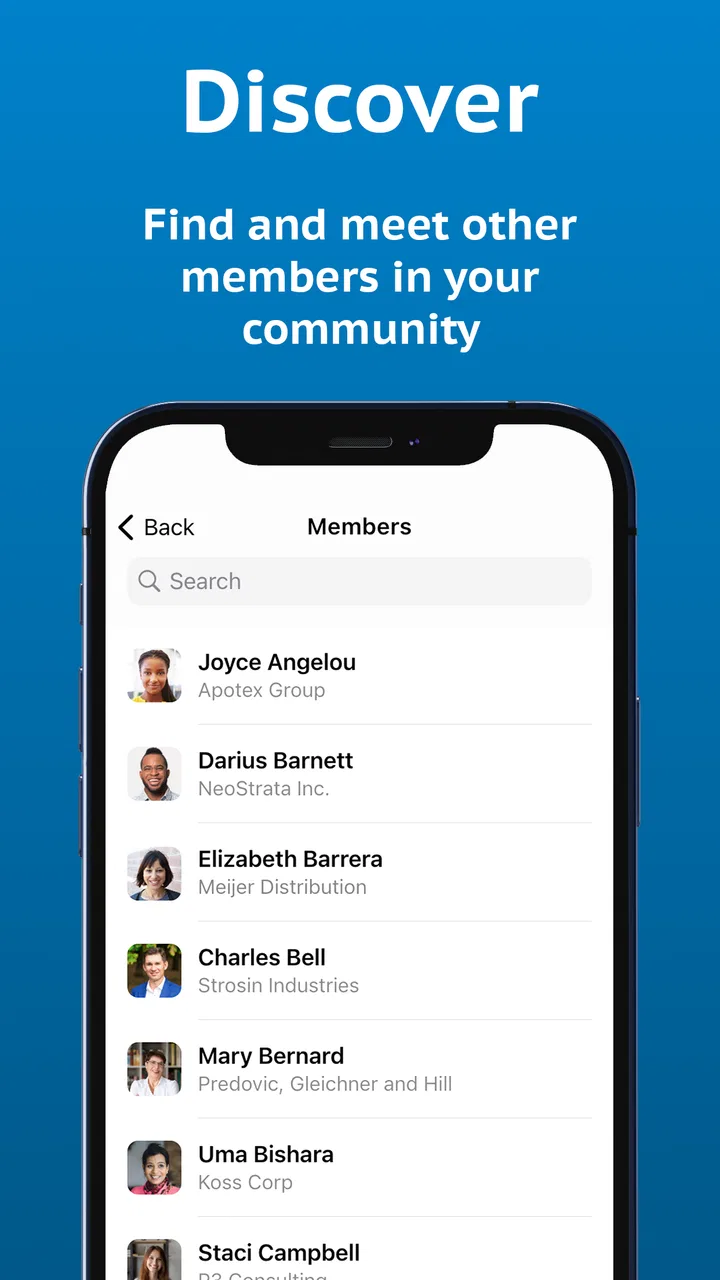
The MC Member App is designed to give members convenient access to their organization’s services, information, and account features from a mobile device. Depending on the organization using it, you may be able to view your membership details, access exclusive content or benefits, receive announcements, manage personal information, and stay connected with the MC community without relying on a desktop website.
02How do I register or sign in to the MC Member App?
After installing the app, you generally need to sign in with the email address, member ID, or credentials provided by the relevant MC organization. Some users may need to complete an initial registration or account activation before accessing the app. If your login does not work, check that your membership is active, confirm your details, and use the password-reset option if one is available.
03Do I need to be an official member to use the MC Member App?
The MC Member App is primarily intended for registered members of the organization associated with it. Certain public information may be visible without signing in, but member-only tools, benefits, documents, events, or account details usually require an active membership. Before downloading, confirm that the app corresponds to your organization and that your membership information is supported.
04Does the MC Member App cost anything to download or use?
The app itself may be available as a free download, but access to some services can depend on your organization’s membership rules, subscription plans, or paid activities. Mobile data charges may also apply when using the app away from Wi-Fi. Review the app-store listing and your organization’s terms carefully, especially if the app includes purchases, registrations, donations, or premium member benefits.
05What should I do if features, membership details, or notifications are not working?
If information is missing or a feature fails to load, first check your internet connection and make sure the app is updated to the latest version. Closing and reopening the app, signing out and back in, or reinstalling it may also help. If the problem continues, contact the MC organization’s support team, since account permissions and membership records are usually managed on their side.
Pros
- Quick access to membership details
- benefits
- and account information.
- Digital membership card reduces the need to carry a physical card.
- Useful updates and notifications can keep members informed.
- Simple interface makes common membership tasks easy to find.
- Convenient access to exclusive offers or member-only content.
Cons
- Some features may require an active MC membership or account login.
- App usefulness depends on participating locations and available benefits.
- Notifications may become excessive if promotional alerts are enabled.
- Certain account changes may still require contacting customer support.
- Performance and available features can vary by device or app version.

MC Member App
Gallery